The Light-O-Rama Visualizer's Channel Assignment Wizard for CCR fixtures is a simple, one-step process that repeats for each CCR assigned to a prop.
For each CCR assigned to a prop, the CCR settings dialog is presented, which allows you to set the most important parameters of each CCR:
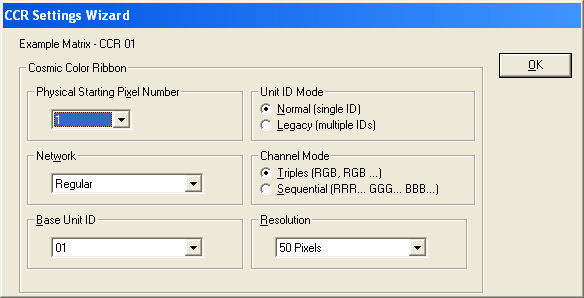
The Visualizer's Channel Assignment Wizard when used for CCR fixtures
Physical Starting Pixel Number
CCR fixtures can be split apart into separate entities. The fixture with a particular address with pixel #1 is considered the master, and any others the slaves.
The network this CCR is part of.
The unit ID of this CCR. For every CCR assigned after the first one, the system will attempt to guess the next unit ID to be used. You should check and change it as needed.
Normal (one unit per CCR) or legacy (ten units per CCR).
If the channels are in triplet (RGB) order or sequential order.
The logical resolution this CCR is running at.