The bottom part of color controls in the Light-O-Rama SuperStar Sequencer:
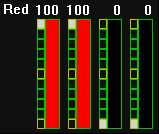
Bottom part of color controls
Mouse click on the control to set the intensity. Mouse drag will also set the intensity.
Double click on the first color to set the second and third colors also. For example:
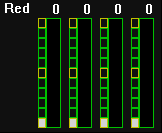
Before a double click on the first color
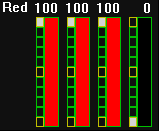
After a double click on the first color
This feature exists because setting the first three colors is commonly done when working with morphs
Ctrl + Double Click on the first color will set all four colors