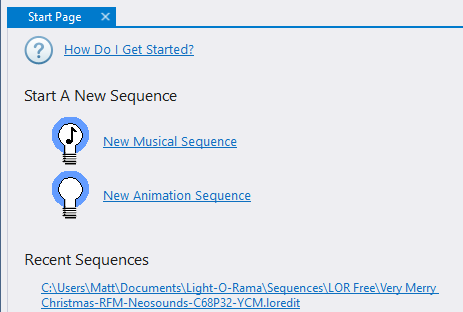
The Start Page provides you with some useful links:
•If you are new to the Light-O-Rama software, click "How Do I Get Started?". It will open the help file where you can learn what a sequence is, and then start learning how to use the Sequencer.
•In the second section, you can quickly start a new animation or musical sequence.
•At the bottom of the page is a list of sequences that have been recently viewed. Click on a link to open the sequence. The recent sequences shown on the Start Page are the same ones listed on the File > Recent Files sub-menu.
The Start Page can be docked in any location, floated, or hidden.